
Let the live instructions define the task
Open the exact Hacoo order and use the refund or after-sales instructions shown there. Record the affected order line, selected colour or size, quantity, delivery status and the specific problem. Then prepare only the evidence requested for that problem. Do not select a stronger category simply because it sounds more urgent, and do not describe a preferred outcome as though Hacoo has already authorised it.
Hacoo's public Shipping & Delivery page, checked on August 31, 2026, says users should request after-sales service within 15 days of delivery and follow the refund instructions. That statement provides a timing baseline and points users back to the live workflow. It does not publish a universal refund amount, approval rule, return method or resolution time for every item and region.
Keep four layers separate
- Published baseline
- The current public timing and direction to follow refund instructions.
- Live instruction
- The fields, evidence prompts and next action shown for the exact order.
- Your record
- What arrived, what differs and what dated evidence you can provide.
- Outcome
- A later decision that must not be assumed while preparing the request.
Read the official wording without expanding it
“Follow the refund instructions” means the current interface is operationally important. A cached screenshot, creator tutorial or old blog post may omit a required field or show a route that is no longer available. Use outside material only to understand general record keeping; use the authenticated order flow for the action itself.
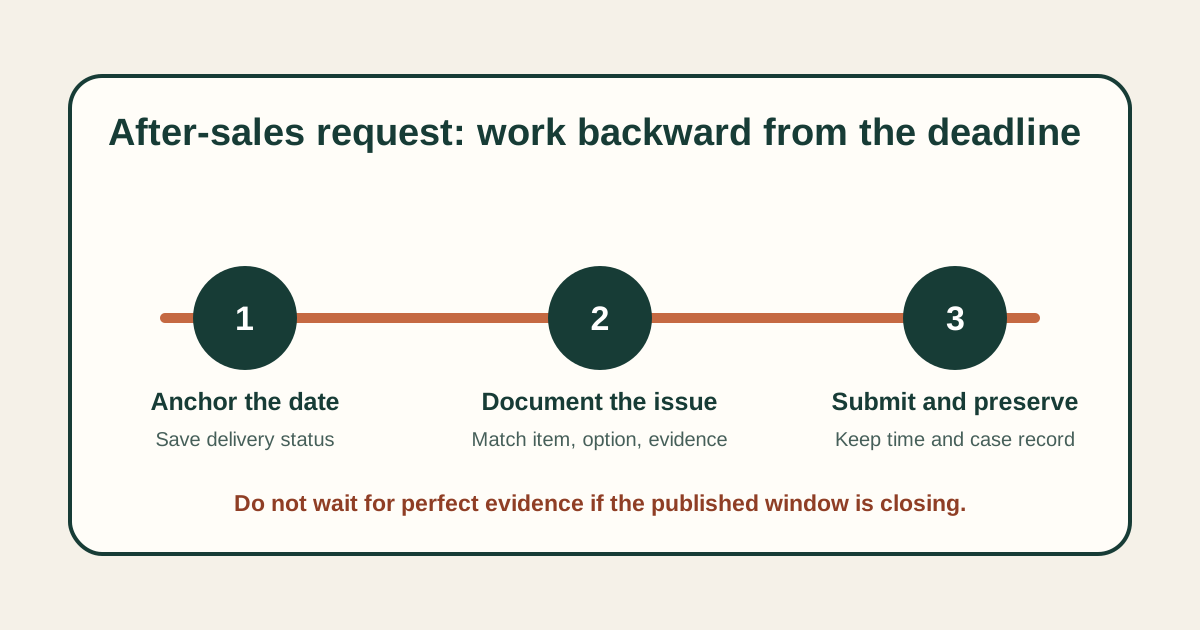
The public timing is an outer boundary, not a reason to delay. Preserve the platform's displayed delivery date and begin as soon as the issue is found. If parcels were split, identify the tracking reference linked to the affected item rather than treating the first delivery as proof that the complete order arrived. If the live screen shows a different instruction or deadline, save it and ask the official support channel which applies.
Avoid converting an instruction into a guarantee. An upload field proves that evidence can be submitted; it does not prove that a particular remedy will be granted. A return address or label should come from the live instructions, not from another customer's post or an address copied from packaging.
Prepare a compact issue record before opening the form
- Identify one affected order line. Save the visible item title, order number, selected option and quantity. If several items have different problems, keep separate notes so evidence cannot be assigned to the wrong line.
- Write one factual issue sentence. Prefer “one blue, size M item arrived; the order line shows two” to “my order is a disaster.” Describe what is observable before explaining the requested resolution.
- Create a dated evidence folder. Keep the order screen, packaging label where relevant, full-item view and close-up together. Redact copies used outside the official channel, but retain an unedited private original.
- Record the timeline. Note delivery, inspection, first observation and submission dates. Do not alter file dates or replace earlier evidence when new information appears.
- Check the live prompts. List required photo angles, video, text limits or selection fields before composing. Requirements can differ by issue and may change.
Answer each instruction field at its own scope
Issue category
Choose the narrowest accurate category. Wrong variant, missing quantity, visible damage and fit preference are not interchangeable. If none matches, do not force the evidence into a misleading label; preserve the available choices and use the official contact route to ask how the issue should be filed.
Description
Lead with identity and difference: what the saved order shows, what was received and how you verified the mismatch. Include measurements only with endpoints and method. Avoid authenticity verdicts, material claims based on touch, or durability claims from a first inspection. Mark unknown details as unknown.
Evidence upload
Use an overview to establish item identity, then a close-up to show the issue. Keep lighting neutral enough to avoid turning a colour cast into alleged product evidence. For quantity or included-part questions, photograph the complete received set in one frame before adding detailed views. Never edit away context that determines scale or location.
Requested action
State the action you are asking Hacoo to consider without announcing that it is owed or approved. Follow any displayed return, label or disposal instruction exactly. Do not ship an item to an address, pay an extra charge or destroy evidence based solely on an unofficial message.
Match the problem to evidence, not emotion
| Problem | Minimum useful record | Important limit |
|---|---|---|
| Wrong option | Saved selection, received label and full item | A label alone may not show the entire product |
| Missing quantity | Order quantity, complete received set and packaging context | Check split-shipment status first |
| Visible damage | Overview, close-up, location and first-observed date | Do not claim an unseen cause |
| Measurement difference | Reference value, endpoints, tool and repeat reading | Do not convert one measure into a universal fit claim |
| Colour difference | Saved option plus neutral-light full view | Screen and lighting can change appearance |
Preserve the submission and every next instruction
Before pressing submit, reread the selected order line, category, quantity and requested action. Confirm that uploads opened correctly and that no image exposes information outside what the official process requires. Then save the confirmation, case or request identifier, timestamp and the exact text sent.
Treat later instructions as a new dated stage. Record who sent them, through which official channel, what action is requested and any displayed deadline. If a reply asks for different evidence, add it to the case folder; do not delete the original submission. If instructions conflict, quote both references and ask for clarification before taking an irreversible action.
A good record ends with status, not speculation: submitted, awaiting information, action requested, decision received or closed. Keep delivery experience, product evidence and service response in separate fields. That separation makes follow-up easier and prevents one disappointing stage from becoming an unsupported claim about the whole platform.
Avoid the mistakes that weaken a refund request
- Waiting for perfect evidence until the published window is nearly over.
- Uploading a close-up without an overview that identifies the item.
- Combining multiple order lines and different problems into one unclear narrative.
- Using edited colour, cropped labels or annotations that hide original context.
- Copying a return address, fee or remedy from another user's case.
- Calling a request “approved” before the official record says so.
- Deleting the initial submission after supplying follow-up evidence.
Questions about Hacoo refund instructions
Does submitting within 15 days guarantee a refund?
No. It addresses the published timing baseline, not eligibility, evidence quality or the eventual decision.
Should I use an address found on the parcel?
Only use a return destination or label supplied through the current official instructions for the case.
What if a required detail is unavailable?
State what is missing and why, provide the evidence you do have, and ask the official channel what alternative is acceptable.
Can I rely on a creator's refund tutorial?
It may illustrate one experience, but it cannot replace the current instructions attached to your order, region and issue.
Related support guides
Use the after-sales deadline record to anchor timing, the split-shipment checklist before describing missing quantity, the tracking status guide for stalled events, the delivered-but-missing workflow for a missing parcel, and the wrong-address evidence guide when the destination record is the problem. For a request made before fulfilment or a payment-ledger question, use the cancellation and billing evidence guide.
Keep timing and issue identity attached
Use the deadline guide for timing, or check split shipments before reporting a missing item.